Travel photos
Select a few dozen or a few hundred photos from one trip.
Travel photo book app for iPhone
Choose the photos from your trip. TripBook organizes the days and destinations, writes the chapters and captions, designs every page, adds a map, and creates a finished travel book.

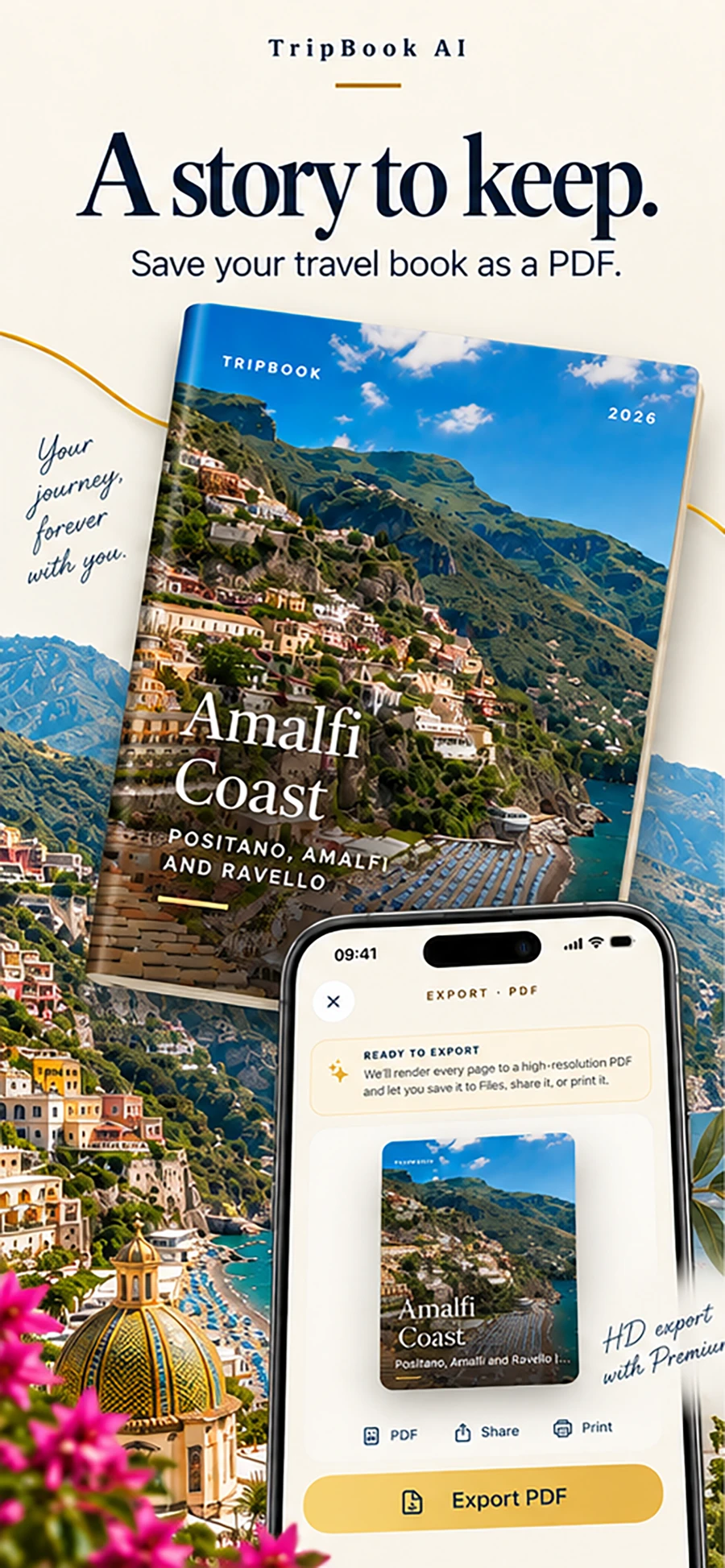
Your photos in. A complete travel story out.
From camera roll to keepsake
The difficult parts of making a vacation photo book happen automatically, while the final word stays yours.
Select a few dozen or a few hundred photos from one trip.
Dates and locations give the trip its order, chapters, and route.
TripBook drafts chapter text that gives the photographs context.
Photos, writing, and maps become balanced magazine-style layouts.
Read, edit, regenerate, export, share, or send the PDF to a printer.
Why it feels different
Traditional photo-book tools begin with an empty page. You sort hundreds of pictures, choose every layout, remember every date, and write the words yourself.
TripBook begins with the trip you already captured. It reconstructs the sequence from selected photos, dates, and places, then gives you a complete first edition to refine.

A camera-roll moment becomes a chapter with place, time, photographs, and prose.
Inside every TripBook
Selected photos are grouped into a coherent trip using capture dates, locations, and the destinations you confirm.
Chapter titles, narrative passages, and captions turn a sequence of images into something you can read.
A route map and destination context give the finished travel memory book a sense of movement.
Photo-led spreads, quiet typography, and varied pacing create the feeling of a considered magazine.
Change titles or passages, refine a caption, or regenerate a section before you keep or share it.
Export a finished digital travel book for sharing, archiving, or printing through the provider you prefer.

For one city break, a long road trip, a family holiday, or the journey you still talk about.
Who it is for
TripBook works for people returning from a honeymoon, family vacation, solo journey, city break, or once-in-a-lifetime trip with a camera roll they want to keep.
It is especially useful when manual photo-book design feels like another project: the app makes the first complete version, and you decide what deserves a final edit.
Questions
You select photos and confirm the trip. TripBook groups the images by day, creates chapters and captions, designs layouts, adds a route map, and builds a book you can edit and export.
No. TripBook creates the initial structure, writing, and page layouts automatically. You can read, edit, or regenerate any part.
TripBook exports a PDF you can keep digitally or send to a photo-book printer. Printing is handled outside the app.
Original photos stay on your iPhone by default. Read the current Privacy Policy for precise handling details.
One app, every kind of trip
Whether it was a week at the beach, a road trip across three states, or a honeymoon you promised you would document and never did, TripBook starts from the same place: the photos already on your iPhone. Choose them, confirm the dates and cities, and read the finished book a few minutes later.
Family trips produce the most photos and the least time to sort them. TripBook groups by day and place so the week reads in order.
Two camera rolls become one story. Share both sets in from Apple Photos and choose the Editorial style for something you will keep on the shelf.
The route map is drawn from your photo locations, so the drive itself becomes a chapter, not just the stops.
Read the guide to making a travel photo book or browse travel journal ideas for what to write on the pages.
Keep exploring
Choose a trip. TripBook does the organizing, writing, and design.
Download TripBook on the App Store