Choose your photos
Select them inside TripBook or share straight from Apple Photos. A weekend or a month; a dozen photos or four hundred.
Digital scrapbook app for iPhone
Pick the photos from your trip. TripBook AI builds the scrapbook pages: tape, torn paper, handwritten captions you can rewrite, a route map, and a PDF you can print. No blank canvas, no dragging stickers around, no account.
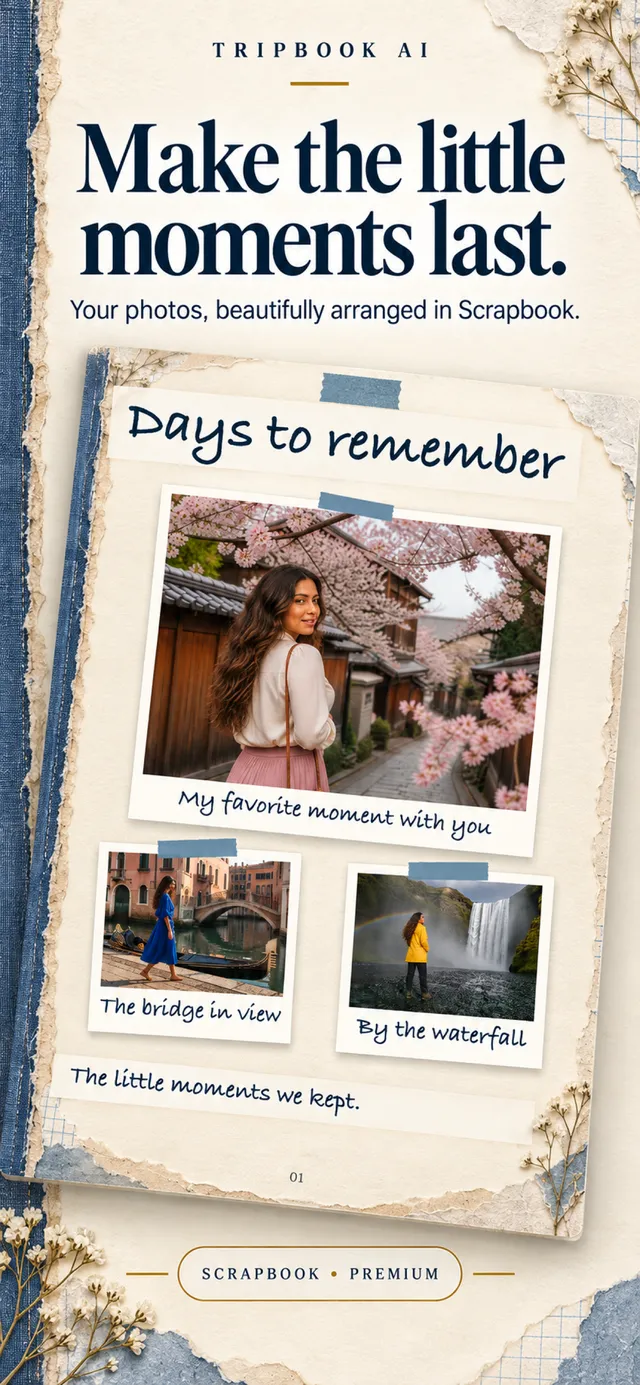
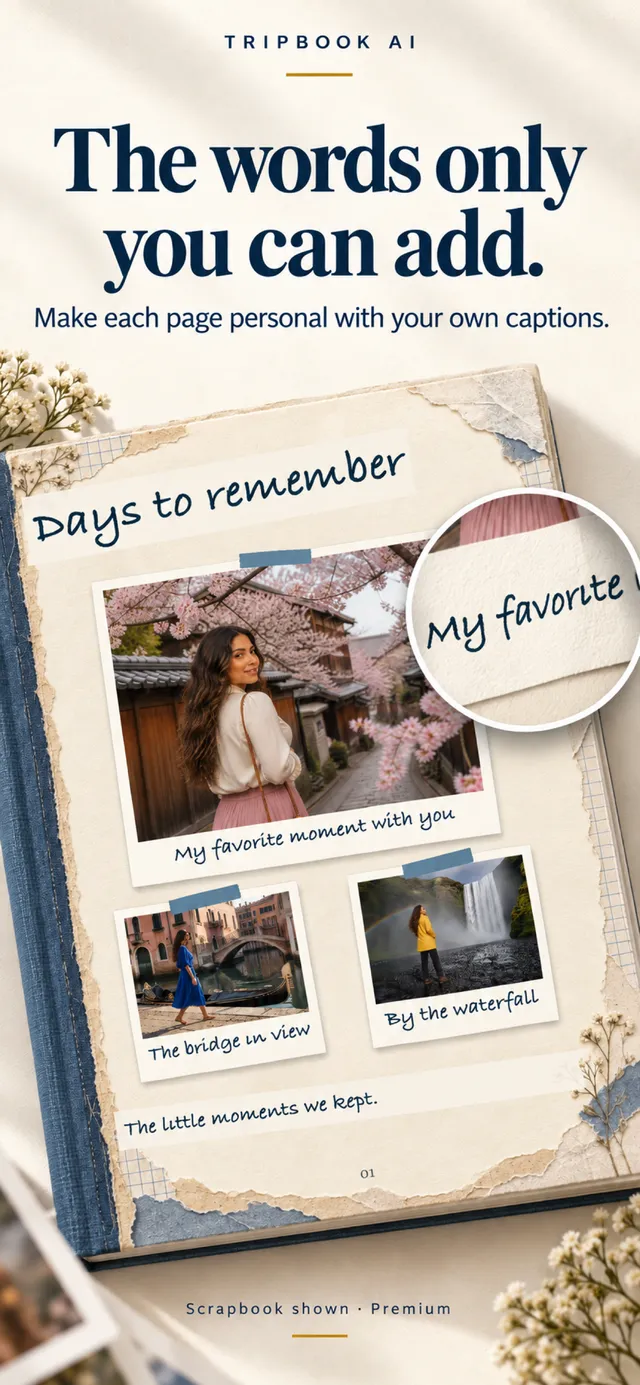
Scrapbook style, as it looks in the app. Captions are yours to change.
How it works
Select them inside TripBook or share straight from Apple Photos. A weekend or a month; a dozen photos or four hundred.
TripBook reads the dates and places in your photos and shows you the trip it found. Fix anything, add a note about what mattered, choose the Scrapbook style.
Pages arrive arranged: photos taped at slight angles, torn-paper edges, a caption under each one, a map of the route. Rewrite any line. Export a PDF when you are happy.
Three styles, one trip
The same photos can become a handmade scrapbook with tape and torn paper, a warm Memory Book with a cloth cover and a single photograph, or the polished Destination Edition that reads like a travel magazine. Change your mind and the book is rebuilt in the new style.
The Destination Edition is free. Scrapbook and Memory Book are part of Premium, along with HD export without a watermark, unlimited books, and the Book in Motion video export.
See the Destination Edition photo book · See a travel scrapbook example
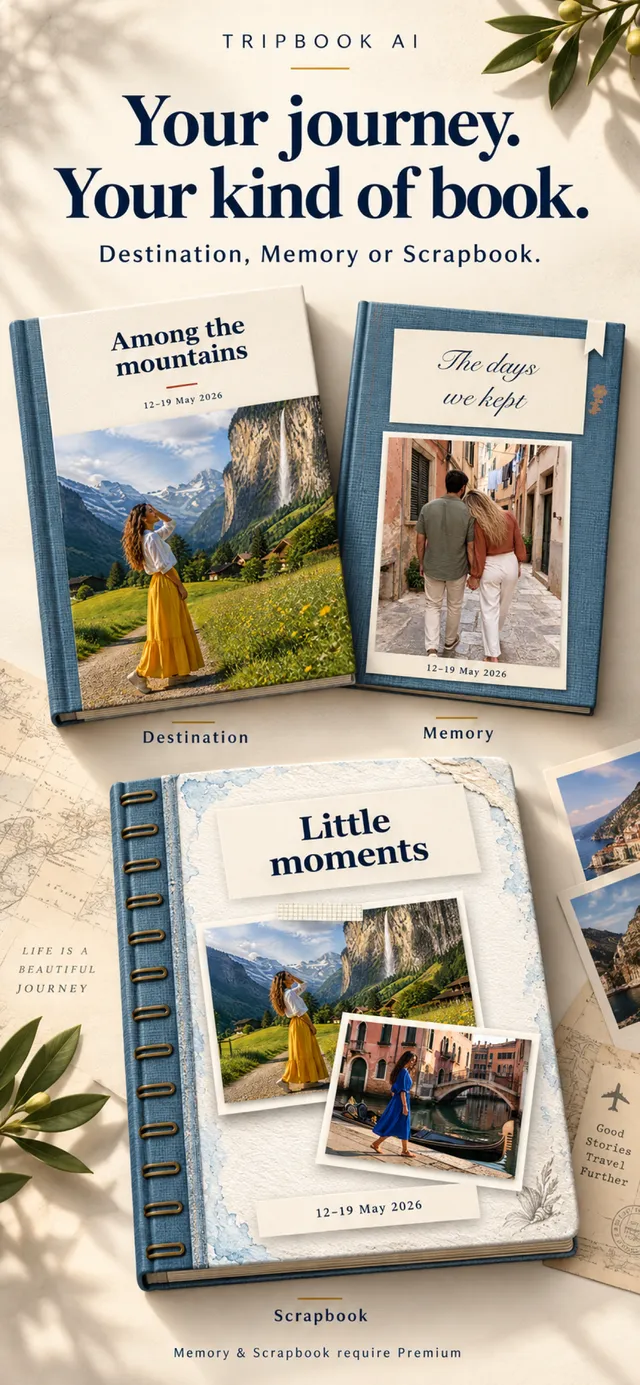
One trip, three covers. The Scrapbook is the ring-bound one.
How it compares
Most scrapbook apps are editors: they give you a canvas and a sticker library and the work is yours. TripBook is closer to a printer that already knows what your trip looked like.
| App | Best for | Who arranges the page | Writes captions | Trip structure | Print / export |
|---|---|---|---|---|---|
| TripBook AI | Turning a camera roll into a finished scrapbook, fast | The app, from your photo timeline | Yes, editable | Chapters by day and place, route map | PDF, video |
| Canva | Full creative control, any device | You, from templates | No | No | PDF, print orders |
| PicCollage | Quick social collages with stickers | You, from templates | No | No | Image export |
| Project Life | Pocket-page scrapbookers | You, card by card | No | No | Print orders |
| Smilebox | Online slideshows and e-cards | You, from layouts | No | No | Share link |
Features of other apps are based on their public listings in September 2026 and may change. If you enjoy the craft of placing every element yourself, an editor like Canva is the better tool; TripBook is for people who want the result without the afternoon.
A shelf, not a feed
Finished scrapbooks sit together in your library, each with its cover, dates and title. Open one on a slow evening, page through it, export it again in a different style. Back the whole shelf up to Files so it survives a new phone.
Couples can share photos into the same book from both camera rolls, which is why honeymoon and anniversary scrapbooks are the most common thing people make.
Travel scrapbook ideas for the pages · How to make a digital scrapbook on iPhone

Your own digital bookshelf.
Questions
Yes to start. The free tier lets you make up to two active books in the Destination Edition style and export a standard PDF with a small watermark. The Scrapbook and Memory Book styles are part of Premium, which also removes the watermark and the book limit. No account is required at any point.
Canva and PicCollage give you templates and a blank canvas; you place every photo, sticker and caption yourself. TripBook does the arranging. You choose the photos, confirm the trip's dates and places, and the scrapbook pages, captions and route map are built for you. You then edit what you want to change instead of designing from scratch.
Yes. Every caption and passage is editable, and the Scrapbook style shows them in a handwritten typeface so the page reads like your own notes. TripBook drafts a first version so no page is ever blank; you keep, rewrite or delete each line.
Yes. TripBook reads the dates and locations already stored in your photos, so a trip from three years ago works exactly like last weekend. Undated or location-free photos are still included; they just need a quick confirmation of where they belong.
Every book exports as a PDF. Premium exports in HD without a watermark, ready to send to any photo-book printer, or to keep as a digital scrapbook on your phone. There is also a Book in Motion export that turns the pages into a short video for sharing.
Your original full-resolution photos stay on your iPhone. Only the trip details you confirm and any notes you add are sent for text generation. Finished books are saved on your device, and you can back them up to Files.
Pick the photos. TripBook does the pages.
Download TripBook AI on the App Store